Laptop Tidak Boleh Dihidupkan
Tiada kuasa, lampu pengecasan tidak menyala, sukar boot atau mati secara tiba-tiba. Pemeriksaan boleh melibatkan adapter, litar DC-in, charging IC, power rail, BIOS dan komponen motherboard.
Pembaikan komputer riba, pembaikan peringkat papan induk dan pemulihan data profesional.
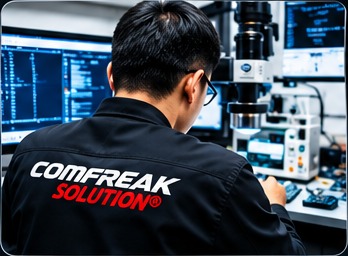
Kami merupakan pusat servis komputer riba dan makmal pemulihan data (Data Recovery Laboratory) yang berpangkalan di Kepong, Kuala Lumpur. Dengan peralatan profesional, kemahiran lanjutan dan pengalaman dalam industri, kami menawarkan penyelesaian menyeluruh untuk masalah komputer dan kehilangan data.
Makmal Pemulihan Data Profesional
Daripada kerosakan laptop biasa hingga masalah board-level yang kompleks, juruteknik kami menilai simptom, mengenal pasti bahagian yang berkemungkinan rosak dan menerangkan pilihan pembaikan sebelum kerja diteruskan.
Tiada kuasa, lampu pengecasan tidak menyala, sukar boot atau mati secara tiba-tiba. Pemeriksaan boleh melibatkan adapter, litar DC-in, charging IC, power rail, BIOS dan komponen motherboard.
Troubleshooting peringkat komponen untuk litar pintas, kerosakan power stage, masalah pengecasan, kesan kerosakan cecair dan komponen SMD yang gagal, bergantung pada keadaan board.
Pemeriksaan dan pilihan penggantian untuk skrin retak, masalah paparan, keyboard rosak, hinge patah, casing dan komponen laptop berkaitan.
Penyelesaian masalah kegagalan boot, BIOS corrupt, startup loop, ralat Windows, storan tidak dikesan dan sistem tidak stabil. Keselamatan data dipertimbangkan sebelum tindakan yang boleh menjejaskan fail.
Pemeriksaan isu suhu tinggi, kipas bermasalah, laluan penyejukan tersumbat, prestasi perlahan, naik taraf SSD dan masalah berkaitan memori.
Pemeriksaan khusus bagi kerosakan terpilih berkaitan BGA dan kerja komponen peringkat board. Kebolehlaksanaan bergantung pada model peranti, keadaan cip dan kerosakan board.
Tidak dapat mengakses fail penting? Storan yang sedang rosak boleh menjadi lebih teruk jika berulang kali dihidupkan atau diimbas menggunakan perisian yang tidak sesuai. Hentikan penggunaan peranti dan dapatkan pemeriksaan sebelum mencuba pemulihan seterusnya.
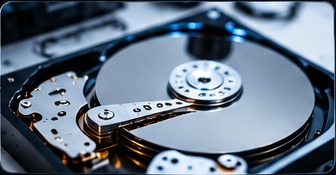
Clicking or scraping noises, drive not detected, spindle or head-related symptoms. Do not repeatedly power on a drive making unusual sounds.
Drive identification problems and firmware-related faults require model-specific diagnosis and suitable recovery equipment.
File-system corruption, inaccessible partitions, deleted files and unstable media. Imaging strategy should be selected according to drive condition.
Assessment for selected SSD, USB flash drive, memory card and NAND-based storage failures. Recovery feasibility varies by controller, encryption and chip condition.
For eligible mechanical cases, compatible donor components may be required. Compatibility is determined by drive family, revision and other technical parameters.
Share the device model, symptoms, previous repair attempts and whether important data is involved.
The device or storage media is inspected to identify likely fault areas and recovery or repair feasibility.
Available options, estimated charges and limitations are explained before proceeding with approved work.
Work is carried out according to the agreed scope. For data recovery, results depend on media condition and damage.
Relevant functions or recovered files are checked where possible, followed by collection or agreed delivery arrangements.
242 publicly surfaced business reviews
Public feedback highlights helpful explanations, responsive communication, reasonable pricing and successful troubleshooting across different devices. Some reviewers also describe challenging data recovery cases and repairs after unsuccessful attempts elsewhere.
Find COMFREAK on GoogleOne customer described a water-damaged monitor that other shops could not resolve, and praised COMFREAK for bringing it back to working condition.
Customer feedback · Monitor repairA long-term customer highlighted clear explanations, helpful advice, prompt service and a positive experience across multiple visits.
Customer feedback · IT supportOther public feedback mentions data recovery cases involving damaged drives, with customers appreciating progress updates and explanations during the process.
Customer feedback · Data recoveryReview highlights above are paraphrased summaries of publicly available customer feedback, not verbatim quotations. Ratings and review counts may change; please check the linked Google result for the latest information.
Watch workshop updates and technical content from COMFREAK's social channel. Actual video embeds can be added when the exact public video links are supplied.
Stop repeated power attempts if there are signs of liquid damage, burning smell or unusual heat. Note the symptoms and contact the technician for an assessment.
Possibly, but clicking can indicate a mechanical fault. Stop powering on the drive and arrange an assessment. No recovery result can be guaranteed before inspection.
No. Results depend on the physical condition of the media, overwritten areas, encryption, firmware and the extent of damage. A diagnostic assessment is needed.
If the drive is physically unstable, making unusual noises or disconnecting, avoid repeated scans and repair operations. They may add stress to failing media.
Share the repair history and any replaced parts. A further assessment can determine whether additional work is feasible.
Send the laptop or drive model, symptoms and relevant photos through WhatsApp. Final quotation depends on inspection and the confirmed scope of work.